
Logging into PH35 accurately gives you access to a rich game catalog, high-speed deposit and withdrawal processing, and maximum security for your personal data against online risks. This article provides a detailed step-by-step guide for logging in on both smartphones and desktop computers, along with the official portal links and solutions to common login issues tailored for users in the Philippines.
The Importance of Logging into PH35 Correctly
For users in the Philippines, accessing the official PH35 servers properly provides essential benefits for both security and platform performance:
- Securing Personal Data: Ensures your account details, transaction records, and available balance remain protected by enterprise SSL 128-bit encryption protocols.
- Optimizing Connection Speed: Official login links are optimized directly for major Philippine telecom providers such as Globe, Smart, and PLDT to minimize latency.
- Avoiding Phishing Risks: Completely blocks access to spoofed websites and credential theft attempts from unverified third-party URLs.
- Synchronizing Multi-Platform Performance: Seamlessly switch between desktop web browsers and the native mobile PH35 App.

Step-by-Step PH35 Login Guide for Desktop and Mobile App
To log into your PH35 account quickly and securely, follow these simple instructions:
Logging into PH35 via Desktop Web Browser (PC/Laptop)
- Launch your web browser (Google Chrome, Microsoft Edge, or Safari) and navigate directly to the official URL: https://ph35.com.ph/
- At the top right corner of the homepage, click the “Login” button.
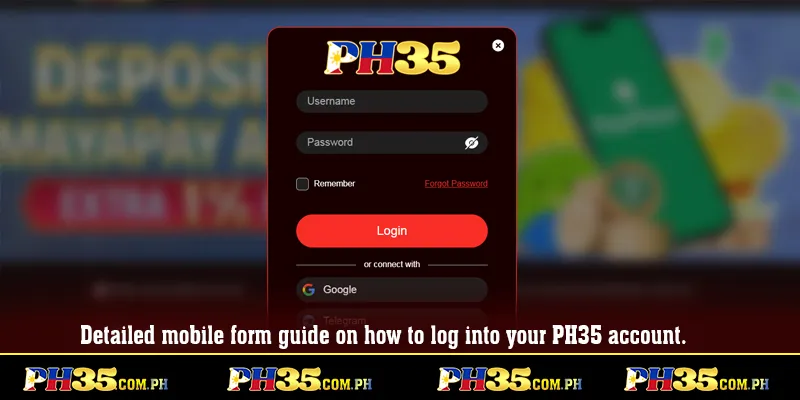
- Enter your registered Username and Password.
- Fill in the CAPTCHA verification code (if prompted) and click “Confirm Login” to complete the process.
Logging into PH35 via Mobile Devices (Android & iOS App)
- Open the installed PH35 App on your smartphone.
- Tap the “Login” button on the application home screen.
- Enter your account credentials or select quick biometric login (Face ID / Fingerprint) if previously configured.
- Confirm to access your account dashboard instantly.
Common Login Failures and Immediate Solutions
During login, users in the Philippines may occasionally encounter unexpected disruptions. Below are common causes and rapid troubleshooting steps:
Forgotten Password
- Click the “Forgot Password?” link below the login form.
- Enter your registered Philippine mobile number (+63 format) or email address to receive an OTP verification code.
- Reset a new strong password and log back into the system.
Blocked Links or Local Network Congestion
- Switch your internet connection between Wi-Fi and 4G/5G mobile data on Globe or Smart networks.
- Update device DNS settings to Google DNS (8.8.8.8 / 8.8.4.4).
- Download and install the official PH35 App for direct access without domain restriction issues.
Temporary Account Lock Due to Failed Attempts
- If an incorrect password is entered more than 5 consecutive times, the system automatically triggers a temporary account lock for security.
- Stay on the screen and click the “Live Chat” icon to contact 24/7 Customer Support for identity verification and account unlocking.
Essential Rules to Keep Your PH35 Account Secure
To ensure your gaming experience remains smooth and safe, users in the Philippines should observe the following security practices:
- Never Save Passwords on Shared Devices: Only enable the “Remember Me” function on your private smartphone or personal computer.
- Log Out After Every Session: Always click the “Logout” button when finished playing, especially when sharing devices.
- Enable Two-Factor Authentication (2FA): Activate an extra security layer via SMS to your Philippine mobile number or email OTP.
- Update Passwords Periodically: Proactively update your account password every 1 to 3 months to prevent data leak risks.
Conclusion
Logging into PH35 correctly and securely is the key to protecting your account data while fully enjoying a premier online entertainment platform in the Philippines. Mastering these login steps and troubleshooting methods ensures you remain in complete control of your account.
Click the official PH35 login link today to access your profile, explore exciting games, and claim your member rewards!